Zero JS Framework on a Company Site: Shipping softpapaya.com on Astro 5 + Cloudflare Pages
No React. No Next.js. Astro 5 + Cloudflare Pages, 126 KiB total, Lighthouse mobile 97/96/100/100. The softpapaya.com stack with no bullshit.
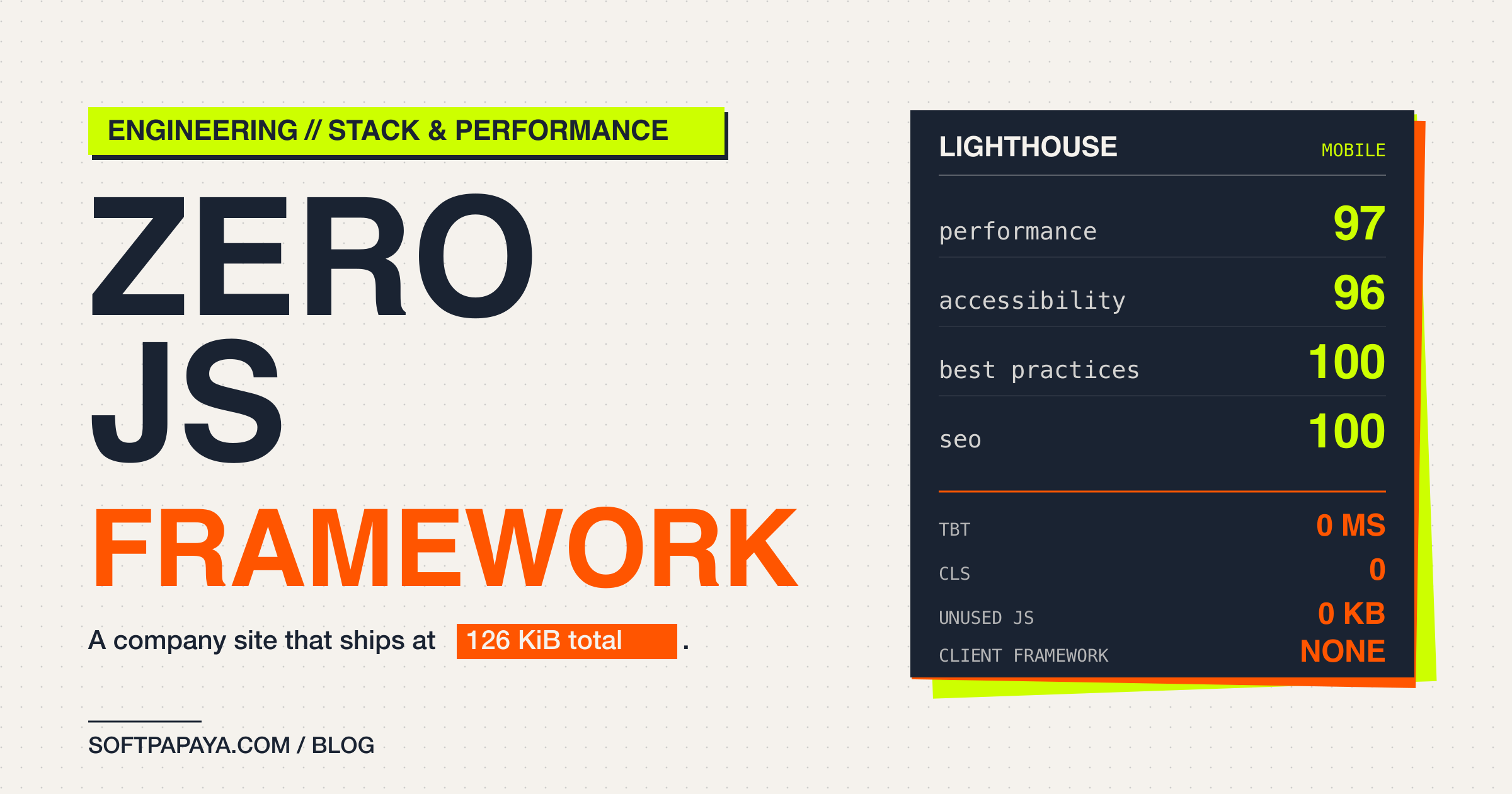
softpapaya.com weighs 126 KiB on the homepage, Lighthouse mobile reads 97/96/100/100, and there is no JavaScript framework running on the client.
The site is bilingual, has a CMS, careers listings, case studies, a blog and the standard legal pages. Below: the stack I went with and the bits that took longer than expected.
What “zero JS framework” actually means
By “zero” I mean no React, no Vue, no Svelte, no Solid in the browser. Pages are authored as .astro files that compile to HTML and CSS at build time. If a section actually needs interactivity, you drop in a <script> tag and write it. That is the escape hatch.
In practice the site has exactly one client-side script outside the search subsystem: BlogSearchModal.astro emits an inline script that wires the keyboard shortcut and modal toggle. Pagefind ships its own worker but only on /blog/*, lazily loaded after the modal opens. Every other route - homepage, services, careers, case studies, all the dynamic blog routes when the search modal is closed - runs zero JavaScript framework.
inlineStylesheets: "always" in astro.config.ts folds the CSS straight into the HTML, so there is no second round trip for styles either. On the production homepage: 0 KB unused JS, 0.0s bootup time, 0 ms total blocking time.
Different story for an app with real-time state or a complex multi-step form. There you want a framework. A content site does not need one.
The stack pick: Astro 5 + Cloudflare Pages
Requirements:
- Two locales, Polish as default, English secondary
- A CMS that a non-developer can use without infrastructure
- Sitemap, OG meta, JSON-LD, the SEO baseline
- Cheap hosting, ideally edge-distributed
- An escape hatch to interactivity if and when we ever need it
Astro 5.18.0 covers most of that out of the box. .astro files server-render to HTML, components are framework-agnostic, and the moment you actually need React or Svelte you can astro add it without rewriting anything. We have not had to. The whole component tree, including the admin shell, is .astro plus inline <script> for the two places that need it.
For hosting, @astrojs/cloudflare 12.6.12 with the standard pages_build_output_dir setup. Edge SSR via Cloudflare Workers, free tier covers our traffic, and Wrangler 4.73 in CI handles the deploy. The whole wrangler.jsonc:
{
  "name": "pstechnologies",
  "pages_build_output_dir": "./dist",
  "compatibility_date": "2026-03-06",
  "compatibility_flags": ["nodejs_compat"]
}
Tailwind 4.2.1 ships as a Vite plugin now, not a PostCSS step, which removed one layer of config. Zod 3.25.76 powers 16 content collections (careers, case-studies, services, team, testimonials, blog and the rest), all validated at build time. If a CMS editor types a malformed frontmatter date the build fails.
For i18n: prefixDefaultLocale: false. Polish lives at /, English at /en/*. Polish-speaking market is the primary audience, so they get the unprefixed URLs.
I did not benchmark Next, Remix or SvelteKit head to head - the choice was pragmatic. The project does not need a router, a runtime, or rehydration, and Astro lets me ship without them. If it ever turns into something stateful, adding React islands is one astro add away.
The gotcha: middleware does not run on prerendered routes
The Cloudflare adapter on prerendered output bit us early. The original CSP setup lived in src/middleware.ts. Every request through astro dev runs the middleware, headers were present in the dev tools network tab, looked fine. First prod deploy and the CSP header was missing on the homepage, /about, /services, every static page.
The adapter writes a dist/_routes.json that excludes prerendered paths from the Worker pipeline. The Worker never sees those requests, so middleware never fires. The Astro docs and adapter README both mention this; I did not read carefully enough first time around.
The fix is two-part. public/_headers becomes the source of truth for site-wide headers in production - Cloudflare Pages serves it directly. The middleware keeps a copy of the same CSP for astro dev and any future SSR-only route. To prevent drift, there is a parity test (src/lib/__tests__/headers-parity.test.ts) that fails if the two strings diverge. The middleware comment block makes the contract explicit:
// PUBLIC_CSP is duplicated by public/_headers, which is the source of truth
// in production - middleware doesn't fire for prerendered routes excluded
// by dist/_routes.json. The middleware copy keeps headers present in
// `astro dev` and on any future SSR-public route.
When you pick an SSR adapter, verify production behaviour through the actual production runtime, not the dev server. astro dev is a Node server, wrangler pages dev ./dist is the actual Worker.
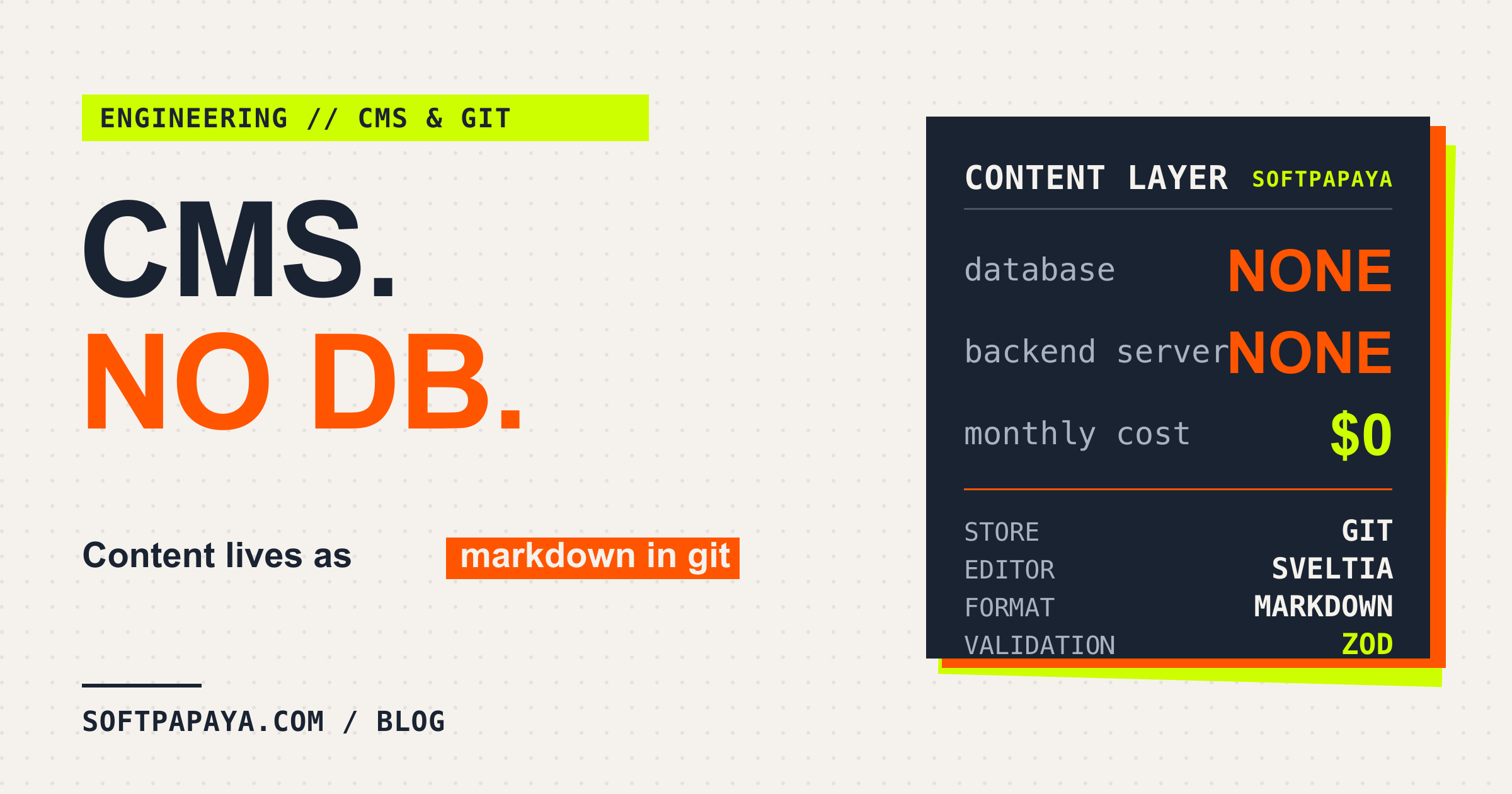
Sveltia CMS on git, no database
The CMS is Sveltia, configured against the same GitHub repo. An editor logs in via GitHub OAuth, picks a collection (blog post, career listing, team member), edits a form rendered from the Zod schema, and clicks publish. The CMS commits the change to the staging branch.
Content sits in src/content/<collection>/{pl,en}/ as markdown files with YAML frontmatter, validated by Zod when Astro builds. There is no database anywhere in the project.
Blog entry schema:
const blog = defineCollection({
  loader: glob({ pattern: "**/*.md", base: "./src/content/blog" }),
  schema: z.object({
    title: z.string(),
    lang: z.enum(["pl", "en"]),
    author: z.string(),
    category: z.string(),
    tags: z.array(z.string()).default([])
      .transform((tags) => tags.filter((t) => t.trim().length > 0)),
    cover: z.string(),
    coverAlt: z.string(),
    excerpt: z.string(),
    publishedAt: z.coerce.date(),
    updatedAt: z.coerce.date().optional(),
    draft: z.boolean().default(false),
    translationOf: z.string().optional(),
  }),
});
The schema runs at build time and surfaces typed objects through astro:content to page components. No separate data layer to keep in sync with the prod DB; there is no prod DB.
Editor flow end to end:
- Editor goes to
/admin/cms, edits, clicks “Publish Changes to Staging” - Sveltia commits to
stagingbranch - GitHub Action fires the preview build, deploys to
staging.pstechnologies.pages.dev - Editor reviews on staging, goes to
/admin/prod, clicks the publish button - Another GitHub Action merges
stagingintomain, deploys production, resetsstagingback tomain
The whole thing runs on free GitHub Actions minutes and the Cloudflare Pages free tier. No monthly SaaS bill. Trade-off: no real-time collaboration and a 2-3 minute lag between the publish click and the live URL. Editors who need a live preview workflow will hate this.
Three GitHub Actions workflows, one queue
The CI/CD is intentionally simple. Three workflows:
test.ymlruns typecheck, unit tests (Vitest),npm run build, and Playwright E2E on every push tomain/stagingand every PR tomaindeploy.ymldeploys to production on push tomainor on arepository_dispatchof typedeploy-production(the latter is what the/admin/prodbutton triggers via the GitHub API)preview.ymldeploys thestagingbranch to the preview alias on arepository_dispatchof typesveltia-cms-publish
Both deploy workflows share a concurrency group cms-staging. Only one deploy can run at a time. If an editor clicks publish three times in a row the requests queue and the latest one wins; whatever was halfway through finishes first.
The CMS-publish-to-prod flow inside deploy.yml is the more interesting bit:
- name: Merge staging into main (local only)
  if: github.event_name == 'repository_dispatch'
  run: |
    git fetch origin staging
    echo "STAGING_SHA_AT_MERGE=$(git rev-parse origin/staging)" >> $GITHUB_ENV
    if git merge origin/staging --ff-only 2>/dev/null; then
      echo "Fast-forward merge succeeded"
    else
      git checkout -B staging-rebase origin/staging
      git rebase origin/main
      git checkout main
      git merge staging-rebase --ff-only
    fi
Fast-forward if possible, rebase staging onto main as fallback. After deploy, reset staging back to main with a force-push - but only if staging has not gained new commits since the merge started. If it has, log a warning and skip the reset. That guard exists because the first version of this workflow ate someone’s pending CMS edits when staging gained commits between merge and reset.
Node 22, npm ci, npx astro sync before typecheck so generated types are in place. The whole prod pipeline takes a minute or two.
Feature flag opt-out: PUBLIC_BLOG_ENABLED
Blog was the largest single feature in the project - Pagefind search, pagination, category and tag filters, plenty of components and page wrappers. It needed to live on the main branch long before it should go live on softpapaya.com. The choice was: long-running feature branch (merge hell) or a kill switch.
I went with the kill switch. The pattern is opt-out: PUBLIC_BLOG_ENABLED unset or anything other than the literal string "false" means visible. Only "false" hides. Default-visible matters during development, because anything else means devs forget the flag and ship blank pages by accident. The whole parser:
export function parseBlogFlag(raw: string | undefined | null): boolean {
  if (typeof raw !== "string") return true;
  return raw.trim().toLowerCase() !== "false";
}
What the flag does when off:
- Strips “Blog” from the nav (
getNavItemsfilters it out) - Hides the homepage latest-posts section
- Returns
[]fromgetStaticPathsin every dynamic blog route - Emits
Response(404)from the two index.astrofiles - Filters
/blogURLs out of the sitemap - Skips the Pagefind index build (the
npm run buildscript guards ondist/blogexistence)
Off-state on the prod build means nothing under /blog/ is generated at all. The files just do not exist in dist/. Side effect: you cannot find draft content by guessing a URL, because there is no file to serve.
It lived in deploy.yml as a build-time env var (PUBLIC_BLOG_ENABLED: "false" on the prod build step) until launch. Staging and local dev never set it, so editors and developers always saw the blog. Launch was a one-line PR removing the env var. Reverting would be the same one-line PR.
After a few weeks of stable prod, the helper and its guards can be deleted.
What the numbers look like, and what I would not do again
Lighthouse mobile, Polish homepage, post-deploy 2026-05-07:
- Performance 97
- Accessibility 96
- Best Practices 100
- SEO 100
- LCP 2.1s, FCP 1.5s, TBT 0 ms, CLS 0, Speed Index 3.7s
- Total page weight 126 KiB, unused JS 0 KB, bootup time 0.0s
- SSR worker bundle 5.8 KB
The 96 on accessibility is the brand colour: burn #ff5500 does not hit WCAG AAA on every text size and we are keeping it anyway. Brand matters more to us than the last point of contrast score.
What I would do differently:
- Set up
public/_headersas the CSP source on day one instead of fighting the SSR middleware route exclusion for a week - Defer Pagefind until after launch. It is a fine piece of software, but local smoke testing requires
npm run build && wrangler pages dev ./distbecause the search index is built post-Astro by a separatepagefindinvocation.astro devwill not serve a working search modal.
What I am keeping:
- Astro 5 + Cloudflare Pages for this class of site. The combination is genuinely good
- Sveltia CMS on git, for teams that can tolerate the 2-3 minute publish lag
- The opt-out feature flag pattern. Build behind the flag, flip it when ready, delete it once prod stabilises
concurrency: cms-stagingon both deploy workflows. One queue, no races
The stack fits the company-site-with-a-CMS class of problem. For an app with real-time state or heavy client interactivity I would pick something else, probably Next or Remix.
Marcin Balazy
SoftPapaya