A CMS With No Database: Running softpapaya.com Content on Sveltia and Git
No Postgres. No headless SaaS. No backend server. softpapaya.com content lives as markdown in git, edited through Sveltia, published by two GitHub Actions.
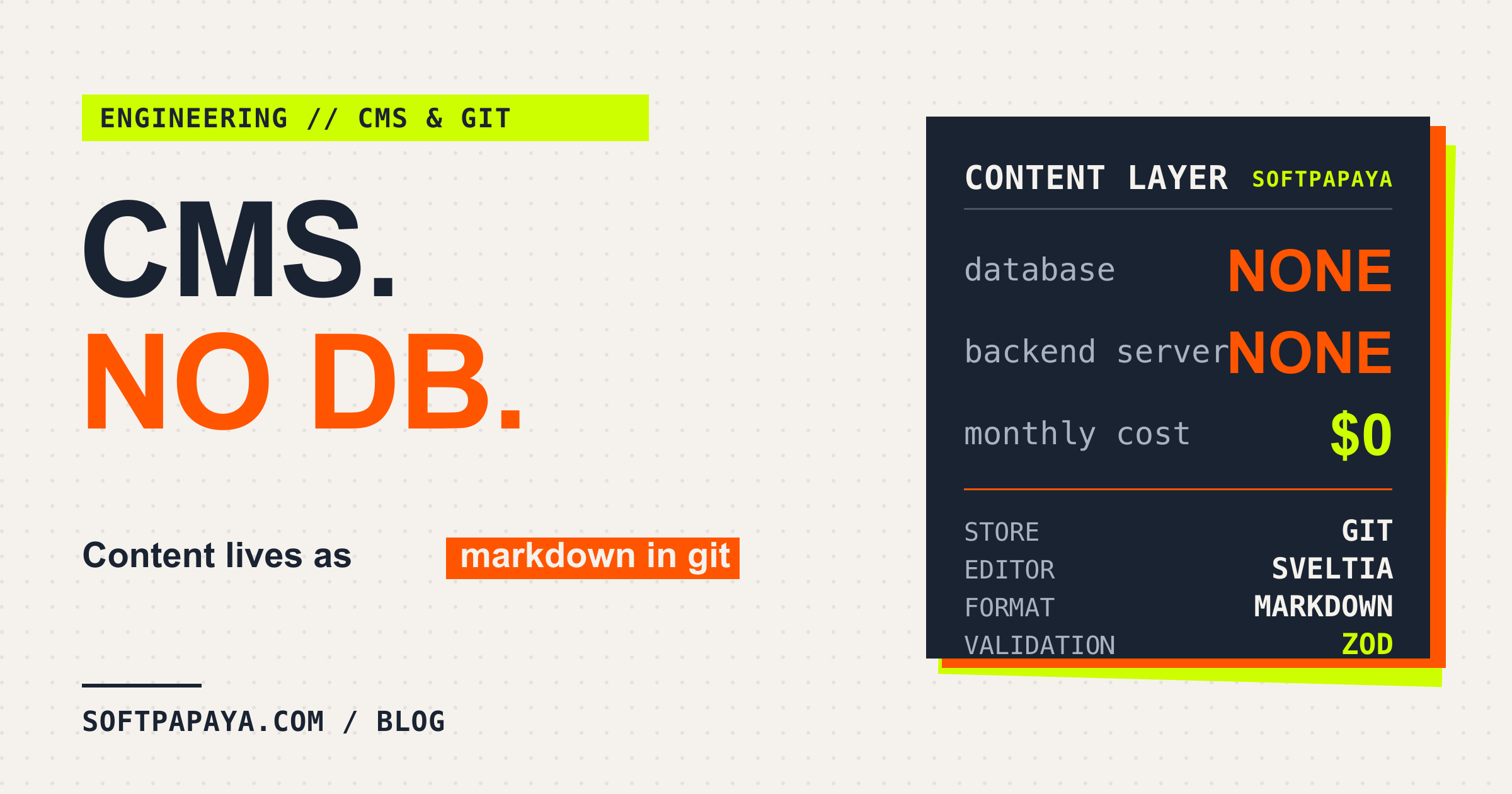
softpapaya.com has a CMS that a non-developer logs into, edits a blog post or a job listing in a form, and publishes. There is no database behind it.
The content layer is markdown files sitting in the same git repo as the code. Sveltia edits those files in place through the GitHub API, and two GitHub Actions take it from there: one builds the staging branch on every publish, the other handles production. The whole thing costs nothing beyond hosting, which also costs nothing.
The previous post on this site covered the Astro and Cloudflare side of the stack and mentioned the CMS only in passing.
What “no database” actually means
Every collection on the site lives as a folder of markdown files. Blog posts, careers, case studies, team members, testimonials, the homepage stats:
src/content/blog/en/sveltia-cms-no-database.md
src/content/blog/pl/sveltia-cms-no-database.md
src/content/careers/en/senior-backend-engineer.md
src/content/team/en/marcin-balazy.md
Each file is YAML frontmatter plus a markdown body. Astro’s content collections pick them up with a glob() loader and validate every file against a Zod schema at build time. A malformed publishedAt date in a post fails the build with a line number, the same way a type error in a .ts file would.
So the “database” is the filesystem. The query layer is getCollection("blog") running once at build time. There are no rows to migrate or connection strings to rotate. The version history of the content is the git history, which means git log answers “who changed the careers page and when” and git revert rolls back a bad edit.
How auth works without an OAuth backend
Sveltia CMS is the editing UI. It is a single JavaScript bundle that runs entirely in the browser, loaded from a CDN by the admin page:
<script is:inline src="https://unpkg.com/@sveltia/cms@0.149.0/dist/sveltia-cms.js"></script>The CMS talks to the GitHub REST API directly to read and write files in the repo, so we ship no npm dependency for it and run no build step on its behalf.
The piece worth describing is auth. The usual git-based CMS flow needs an OAuth backend, a small server that holds the client secret and does the GitHub handshake on the user’s behalf. I did not want to run that server. So the admin shell injects a GitHub PAT from a Cloudflare environment variable straight into the spot Sveltia reads on boot:
<script is:inline define:vars={{ cmsToken }}>
  if (cmsToken) {
    localStorage.setItem("sveltia-cms.user", JSON.stringify({
      backendName: "github",
      token: cmsToken,
    }));
  }
</script>
The token belongs to a GitHub bot account and is stored as CMS_BOT_TOKEN in Cloudflare. It is read server-side and only written into the authenticated admin response, which itself sits behind Basic auth in middleware, so it never ends up in the client bundle. The side effect is that every edit shows up in git as a commit by the bot, so the log cannot tell you which editor actually wrote what. We accepted that as the price of skipping the OAuth roundtrip.
The config mirrors the Zod schema
Sveltia renders its edit forms from public/admin/config.yml, and Astro validates content with a Zod schema in src/content.config.ts. These are two descriptions of the same shape, kept in sync by hand. The config file says so at the top:
# Mirror Zod schemas from src/content.config.ts.
# Sveltia edits markdown files in-place - glob() loader stays unchanged.
This is the honest cost of the setup. Add a field to a blog post and you edit both files: the Zod schema so the build accepts it, plus the CMS config so an editor can fill it in. I considered generating one from the other and decided the duplication was less work than the tooling. Zod catches the failure mode that matters anyway: if the CMS writes a field the schema rejects, the build fails fast.
How publishing flows across staging and main
staging is the branch the CMS works on. An editor’s click commits to staging, fires a repository_dispatch of type sveltia-cms-publish, and preview.yml builds that branch and deploys it to a preview URL where the editor sees the change rendered on real infrastructure.
main is production. When the staging review looks right, the editor opens /admin/prod and clicks the deploy button. That button does exactly one thing, a POST to the GitHub API:
await ghFetch(`/repos/${REPO}/dispatches`, token, {
  method: "POST",
  body: JSON.stringify({ event_type: "deploy-production" }),
});
That dispatch triggers deploy.yml. The workflow merges staging into main (fast-forward if it can, rebase as a fallback), deploys production, and then resets staging back to main so the next editing session starts from a clean baseline.
The reset has a guard that was not in the first version of the workflow. If staging gained new commits between the merge starting and the reset running, say because a second editor publishes while the first deploy is still in flight, a naive force-push would silently overwrite those edits. So the workflow records the staging SHA at merge time and skips the reset if staging has moved since.
Both deploy workflows share a concurrency group, so only one of them runs at a time. Click publish three times in a row and the requests queue; the last one wins.
Configuration quirks worth knowing
Sveltia only tags some commits with [skip ci]
The CMS commits to staging, and every push to staging would normally trigger CI. But the publish flow already runs its own build through the dispatch, so the push-triggered build is redundant. Sveltia has a skip_ci: true option for exactly this case, except in v0.149.0 it only adds the [skip ci] marker to update commits. Creates and deletes go through without it, which means a new blog post triggers a wasted CI run. The fix is to override the commit message templates for every operation:
commit_messages:
  create: '[skip ci] Create {{collection}} "{{slug}}"'
  update: '[skip ci] Update {{collection}} "{{slug}}"'
  delete: '[skip ci] Delete {{collection}} "{{slug}}"'
  uploadMedia: '[skip ci] Upload "{{path}}"'
  deleteMedia: '[skip ci] Delete "{{path}}"'
Now every CMS commit carries the marker and GitHub skips the push-triggered build. A caveat worth repeating because it is not Sveltia-specific: GitHub scans the entire commit message for [skip ci], body included, so dropping those characters anywhere in a commit description silently kills the workflow.
The publish button lies about where it publishes
Sveltia’s button says “Publish Changes”. In our setup the staging admin page publishes to staging, but an editor reading “Publish Changes” reasonably assumes it goes live to production. There is no config option to rename the button. So the admin page walks the DOM with a MutationObserver and rewrites every “Publish Changes” string Sveltia renders (text nodes, the aria-label attribute, and the title attribute) into “Publish Changes to Staging”. It is a hack against a third-party UI we do not control, and it will break the day Sveltia ships a UI rewrite. Pinning the Sveltia version in the CDN URL is doing real work here.
Where this works, and where it does not
The setup has been running on softpapaya.com for months without anyone touching it. Editors publish a few times a week, and the worst friction is the two-to-three minute lag between clicking publish and seeing the change live - what a full rebuild and deploy on every change costs. The whole content layer sits on the free tiers of GitHub Actions and Cloudflare Pages, so the line for it on the monthly invoice reads zero.
The fair warning is that this stops working the moment your team needs real-time collaboration on the same post or commit attribution per editor. Two editors cannot touch the same file without producing git conflicts. The log also will not tell you who wrote any given change, because every commit is signed by the bot. If either of those matters to your team, a hosted CMS is worth the bill.
For us, neither does, and the arrangement has held up well.
Marcin Balazy
SoftPapaya